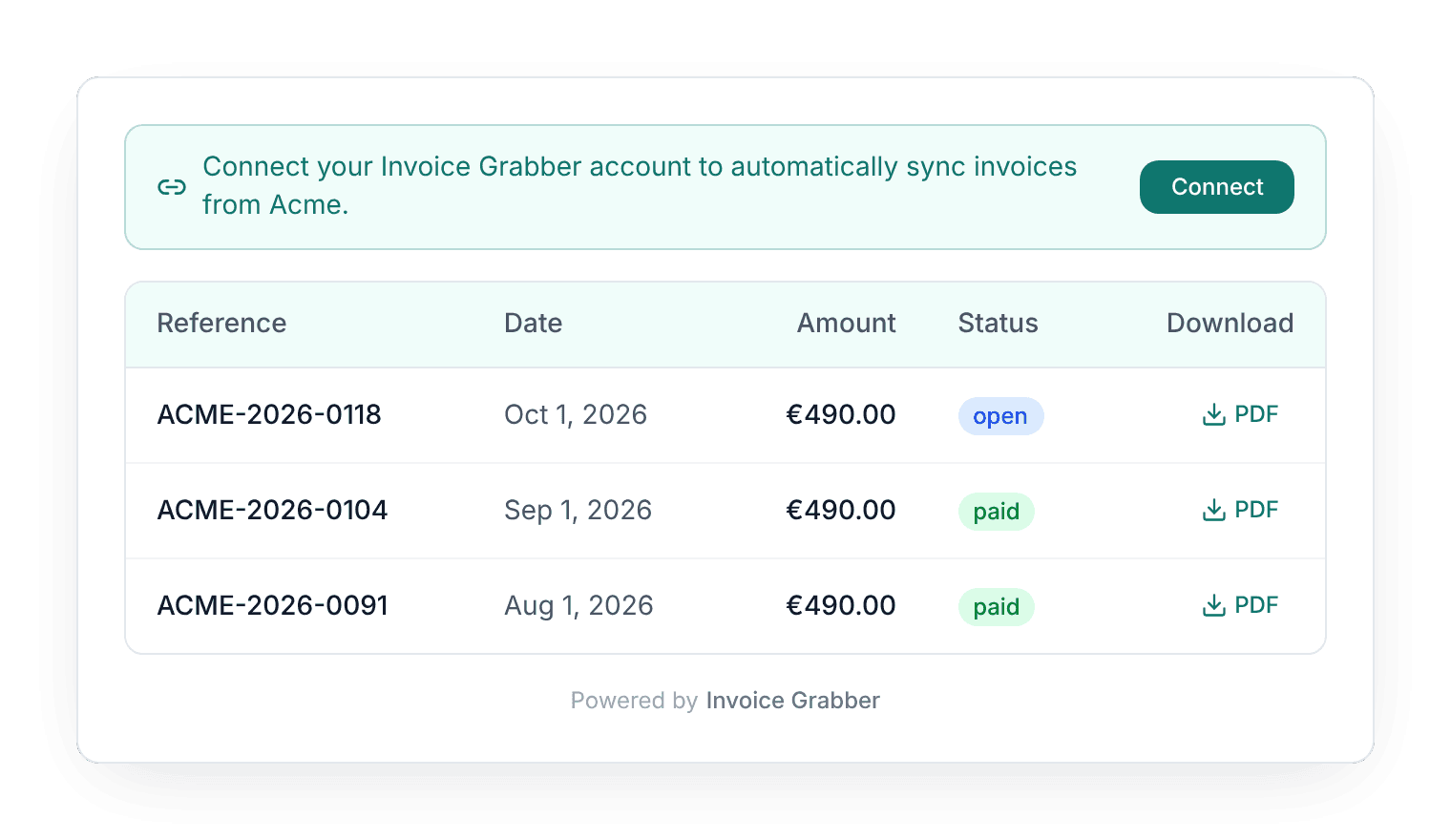
Every invoice, one place, no email archaeology
A clean list of their invoices inside the app they already use. Preview or download the PDF in one click, whenever their accountant asks. No separate portal, no extra password, no support ticket.
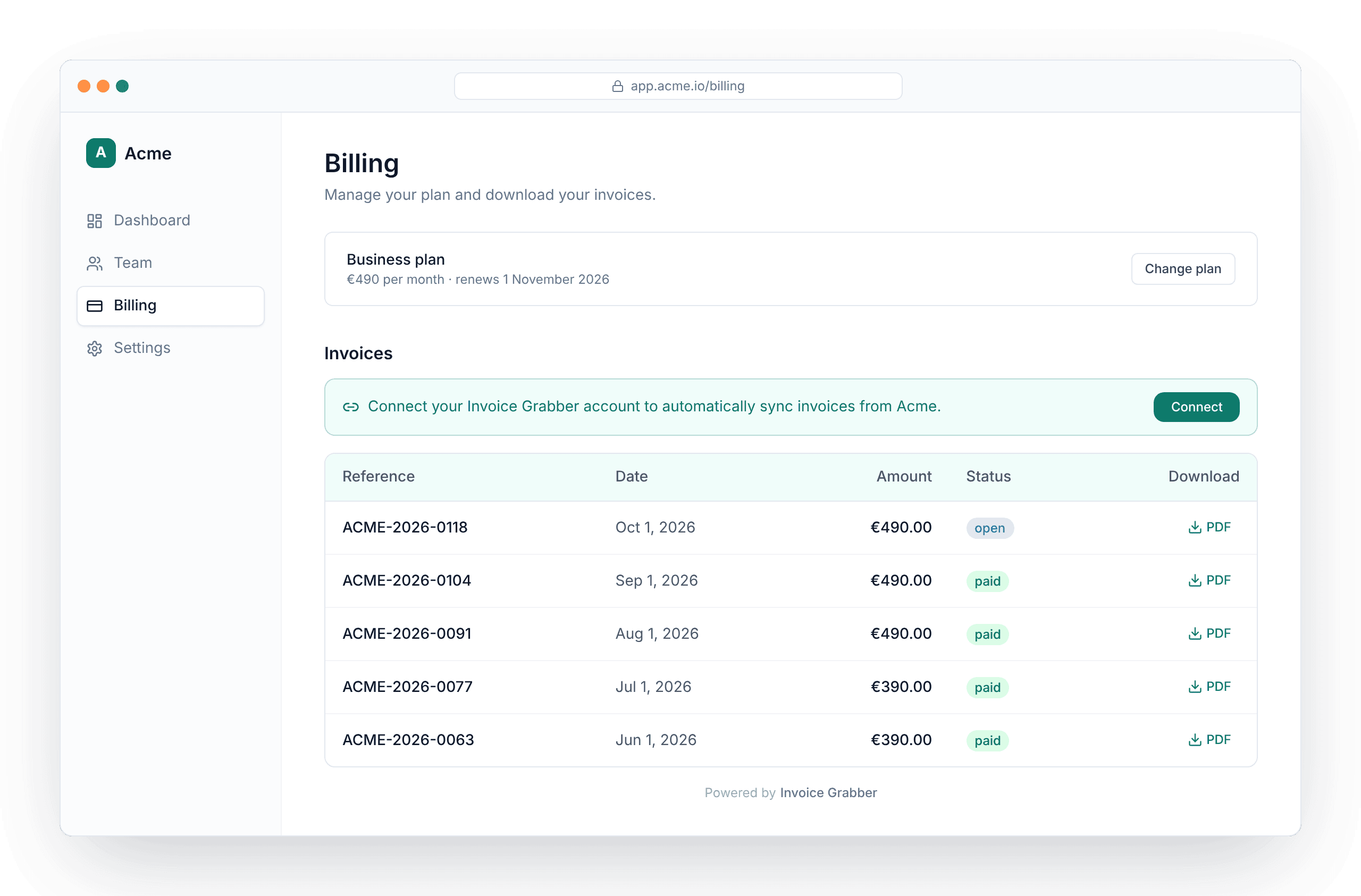
Put a branded invoice block inside your own app with a short snippet. Customers find, preview and download every Stripe invoice themselves. If they use Invoice Grabber, one click sends every future invoice straight into their own books. Free, for you and for them.
It's the 3rd of the month. Your customer's bookkeeper needs last quarter's invoices, and the original emails are buried under 40 webinar invites. So they ask support. Support asks finance. Finance logs into Stripe, searches, downloads, attaches, sends. Then it happens again next week.
Stripe stores every invoice perfectly. Getting the right PDF to the right person at the right moment is the bit nobody built.
The takeaway: every invoice request is a small tax on your team and a small annoyance for your customer. You can skip both.
One click through Stripe Connect. Invoice Grabber pulls in your invoices and keeps syncing as new ones are created, with a nightly safety net for anything a webhook misses.
Name it, pick the ledger your Stripe invoices land in, and choose how an invoice matches a customer: Stripe customer ID, customer email, or an account ID you already store in Stripe metadata.
Drop it on the page where your customer is logged in and pass their customer ID. Show the full invoice list, or just a compact "Save to Invoice Grabber" button.
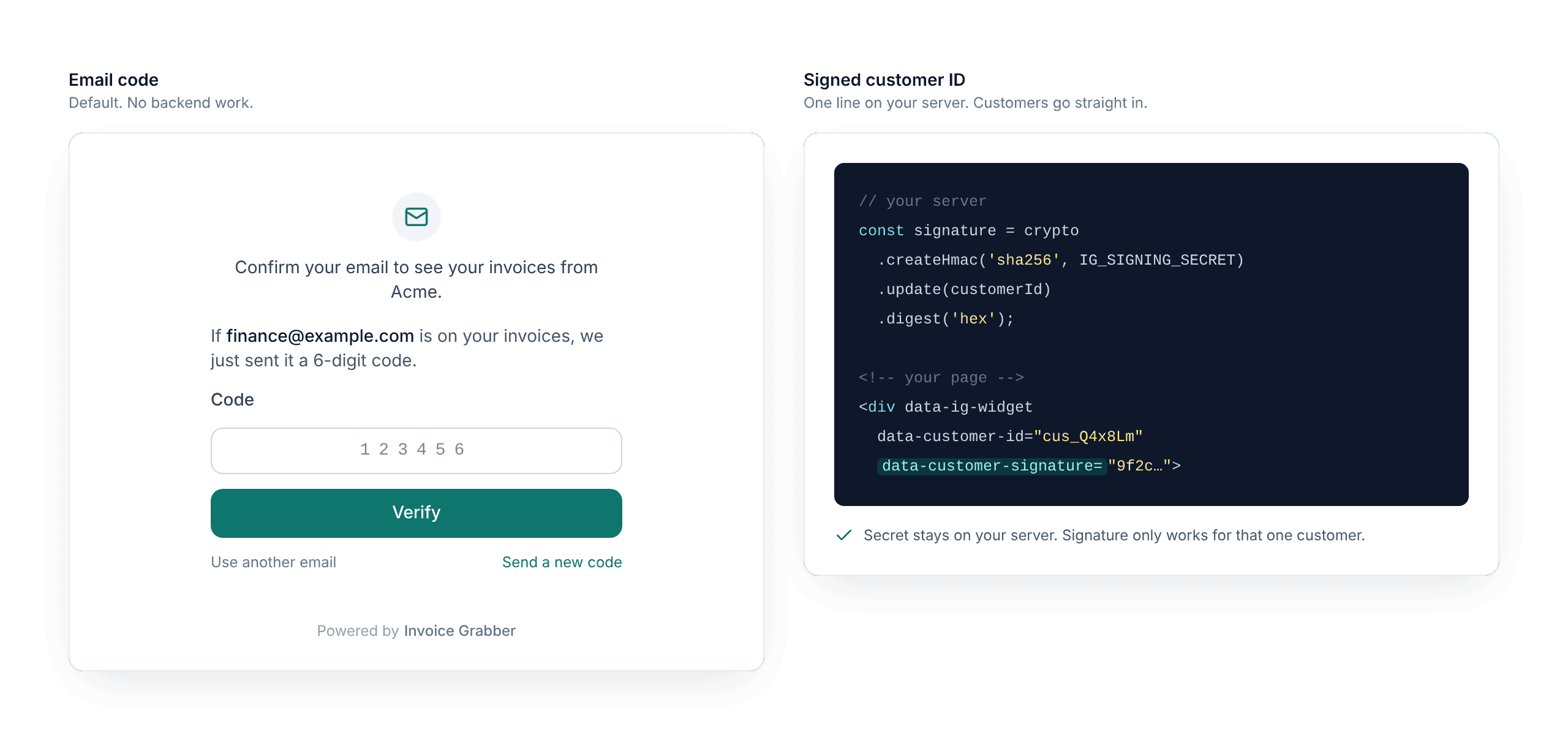
Out of the box, customers confirm their billing email with a one-time code, once a month per browser. Zero backend work. Prefer no extra step? Have your server sign the customer ID and they go straight to their invoices.
<script src="https://www.invoice-grabber.com/embed/v1/widget.js"></script>
<div
  data-ig-widget
  data-platform-key="pk_live_..."
  data-customer-id="CUSTOMER_ID"
  data-variant="full"
></div>
That's the whole integration. Customers confirm their billing email once, and the browser remembers them for 30 days.
A clean list of their invoices inside the app they already use. Preview or download the PDF in one click, whenever their accountant asks. No separate portal, no extra password, no support ticket.
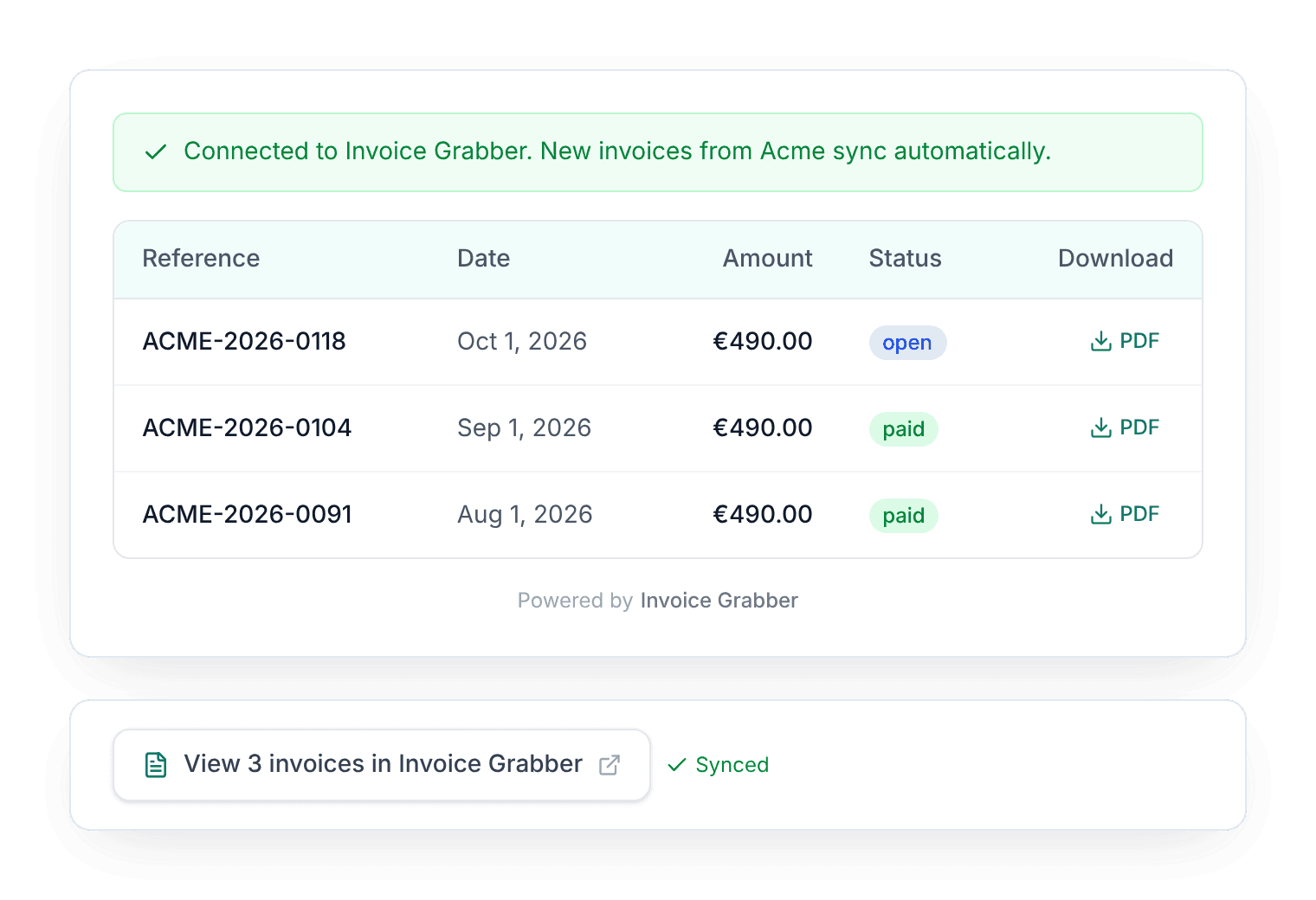
Customers who use Invoice Grabber click Connect, sign in, and every past invoice from you is copied into their account. New invoices follow automatically. From there their own workflows take over: their accounting system, their Peppol route, their Slack channel.
The takeaway: your invoices stop being something customers chase and start being something that just shows up.
Every customer proves who they are before the portal shows a single invoice: a one-time code to their billing email, or a signature from your server. The portal runs in an isolated frame, and your signing secret never leaves your backend.
Zoom out: the people downloading these invoices handle money for a living. "Anyone with the link" was never going to fly.
The portal reads from the same Invoice Grabber ledger your Stripe invoices already sync into. Whatever you set up there keeps running: push to your accounting system, Peppol, email or Slack. The portal is a window on that ledger, filtered per customer.
One source, two audiences. Your finance team books the invoices, your customers download them, and nobody keeps a spreadsheet of who got what.
Set your look once in the dashboard, or override it per page with a data attribute.
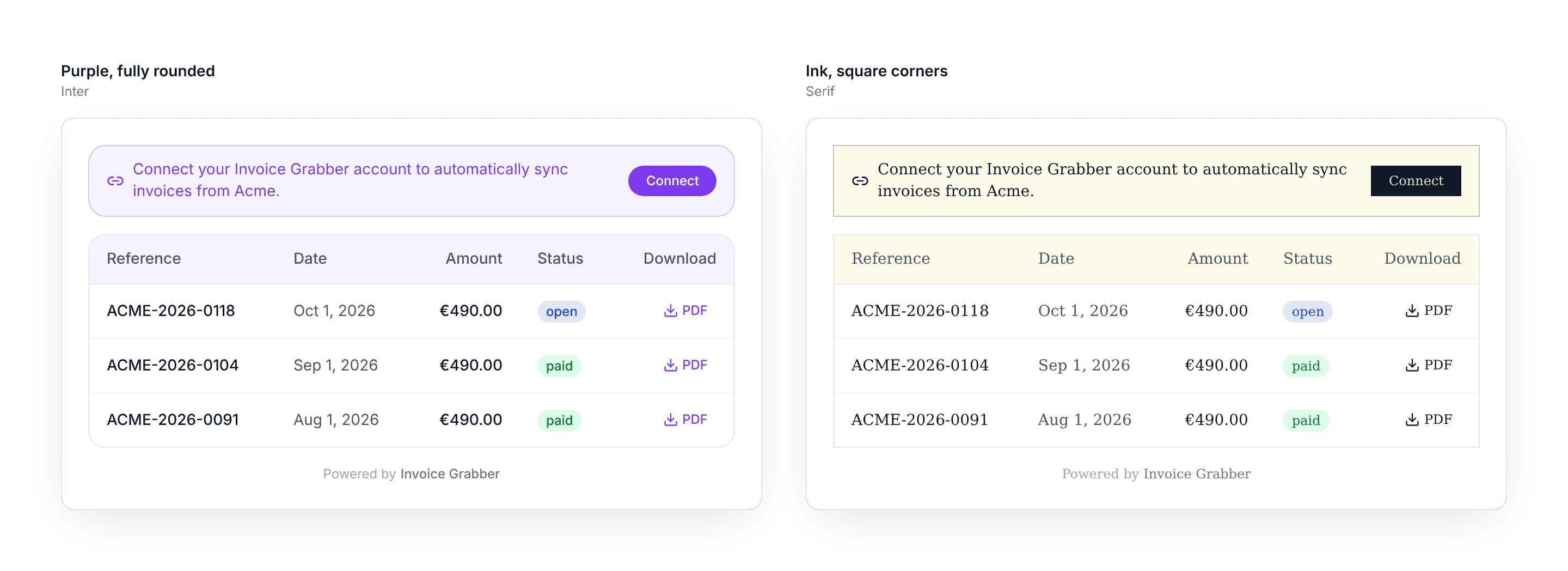
It stays in its lane. The portal runs in a secure frame, so your site's CSS can't break it and it can't touch your page. A small "Powered by Invoice Grabber" line sits at the bottom.
Free. Connect Stripe, paste one snippet, and let your customers help themselves (securely, without a single new password).
Built Securely from the Ground Up. We Respect Your Privacy.
Loved by 80,000+ users worldwide
AI, OCR, and AI-powered invoice recognition
Built Securely from the Ground Up. We Respect Your Privacy.
Loved by 80,000+ users worldwide
AI, OCR, and AI-powered invoice recognition
Built Securely from the Ground Up. We Respect Your Privacy.
Loved by 80,000+ users worldwide
AI, OCR, and AI-powered invoice recognition

